How to Use Xetile: Step-by-Step Platform Guide for Retailers & Wholesalers
Learn how apparel retailers, boutique owners, and B2B buyers navigate the Xetile platform—from filtering catalog products to customizing size ratios, managing cart orders, and tracking factory shipments.
THE FACTORY-DIRECT ADVANTAGE
Xetile owns the garment production pipeline end-to-end. By purchasing directly through our online B2B platform, retailers eliminate middleman commissions and gain access to factory-direct wholesale pricing, low MOQs, and complete batch quality control.
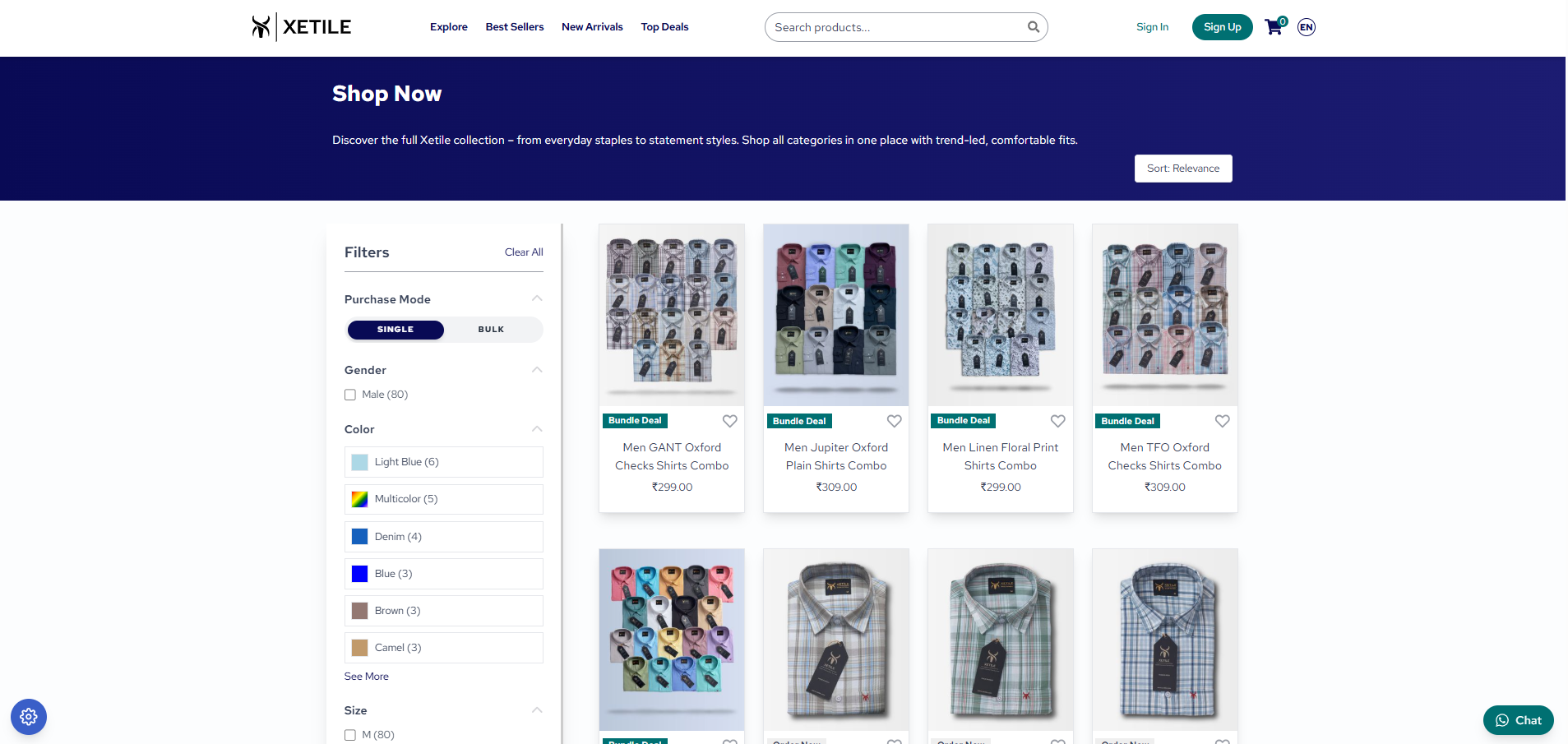
Figure 1: Xetile Wholesale Shop Catalog Interface
Finding & Filtering Wholesale Products
Discovering stock on Xetile is built for quick navigation. Retailers can access our main catalog through several dedicated entry routes:
1. Shop Catalog
Browse all available shirt collections with dynamic search controls.
2. Bulk Search Engine
Search specific styles, fabrics, patterns, or product keys in real time.
3. Best Sellers
Explore top-selling fast-moving retail designs across store owners.
4. Factory Clearance
High-margin clearance items and discounted volume stock.
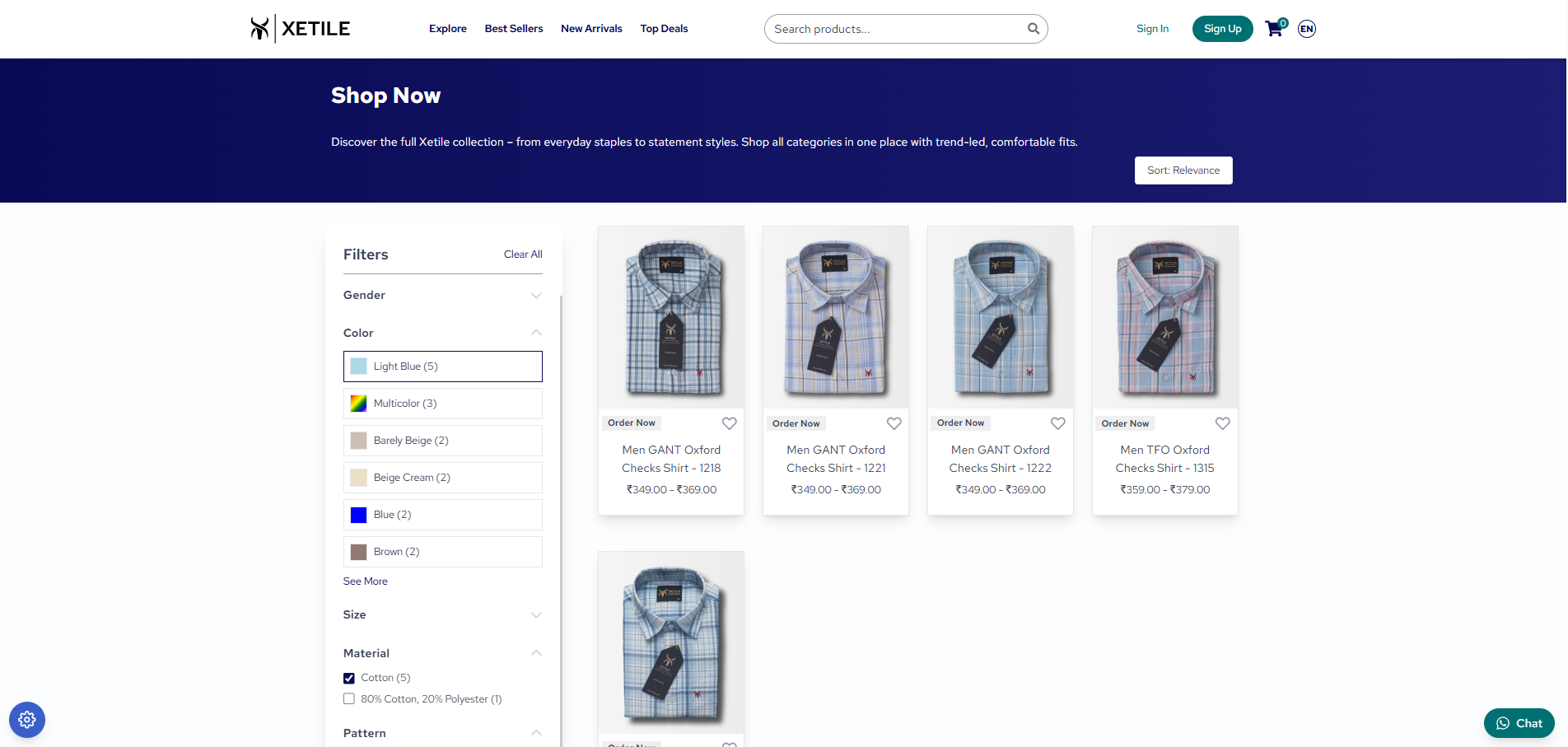
Figure 2: Product Filter Options Drawer (Category, Size, Color, Fabric, MOQ, Bundle Deals)
Dynamic Search & Catalog Filters
Easily narrow down your inventory searches by filtering by Category (Formal, Casual), Material & Fabric (100% Cotton, Linen, Blends), Pattern (Solid, Printed, Checked), Size & Color, Brand, Minimum Order Quantity (MOQ), and Bundle Deals.
Product Specifications & Size Ratios
When clicking on any individual shirt listing, you can review detailed garment specifications to make informed inventory decisions:
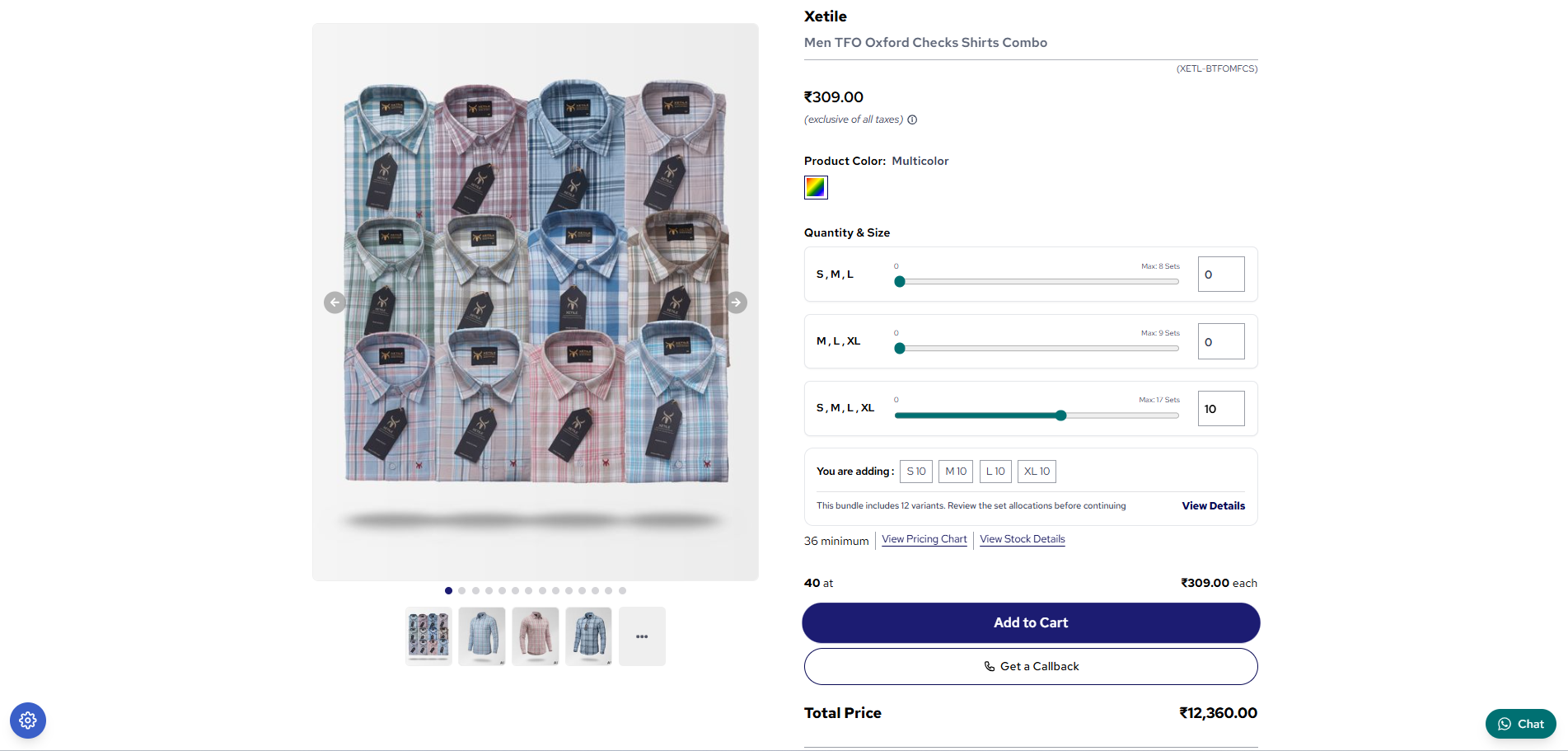
Figure 3: Product Details, Fabric Specification Sheet & Size Curve Selector
Included Garment Specifications:
- Fabric Composition & Weave Type
- GSM Fabric Weight & Shrinkage Control
- Stitch Density & Fusing Details
- Real-time Warehouse Stock Availability
Select your preferred size breakdown (such as custom M/L/XL curves or pre-assorted bundles) before moving to cart checkout.
Cart Management & Applying Promotional Coupons
Review your active selection inside the Wholesale Shopping Bag to adjust batch quantities, verify total unit counts, and calculate order totals.
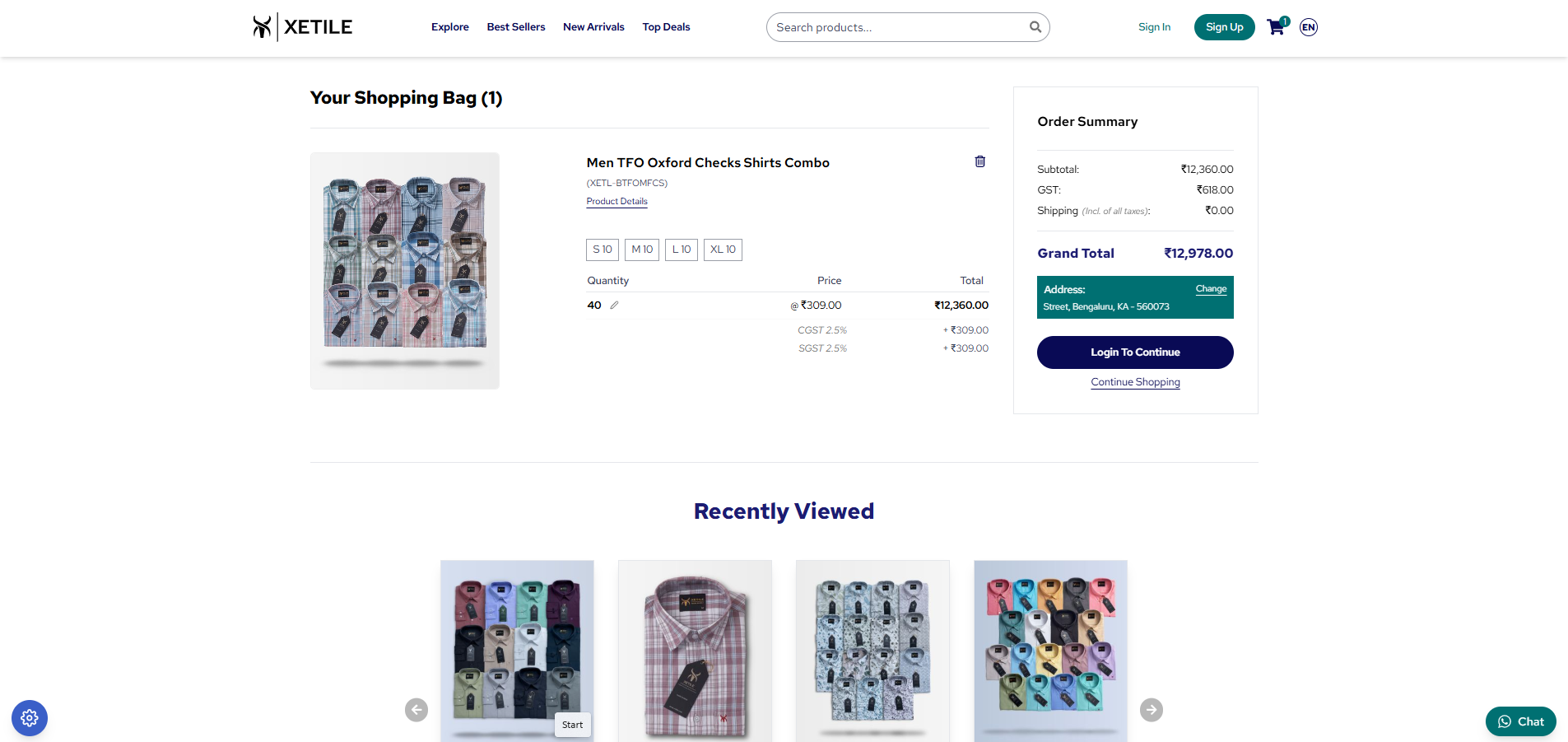
Figure 4: Wholesale Shopping Bag & Coupon Code Application Interface
Be sure to check our dedicated Coupons Page for active promo codes (such as shipping discounts or bulk tiered rebates) and apply them during order review.
Secure B2B Checkout & Invoicing
Proceeding through Secure Checkout guides you through address verification and payment processing:
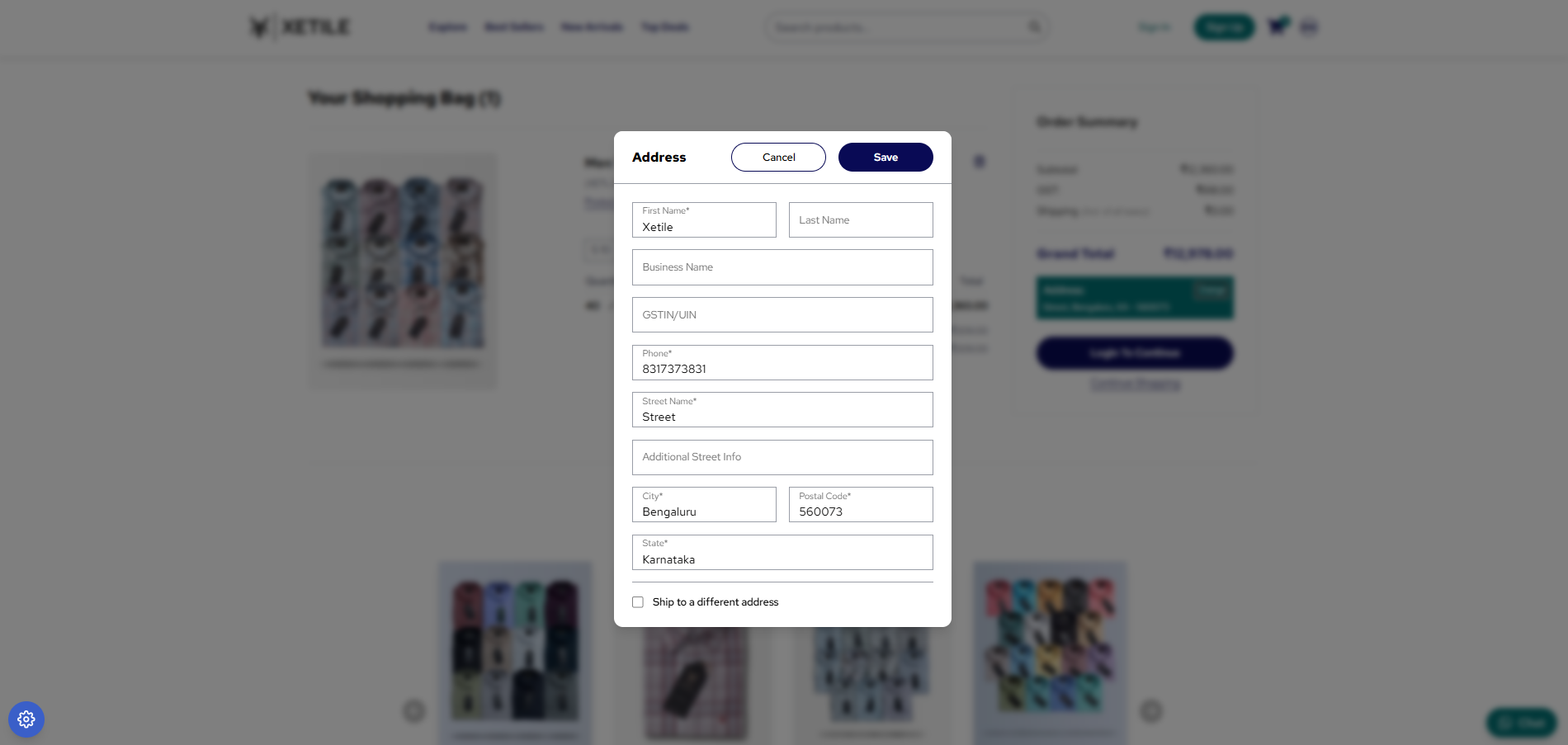
Figure 5A: Shipping & Commercial GST Address Selection
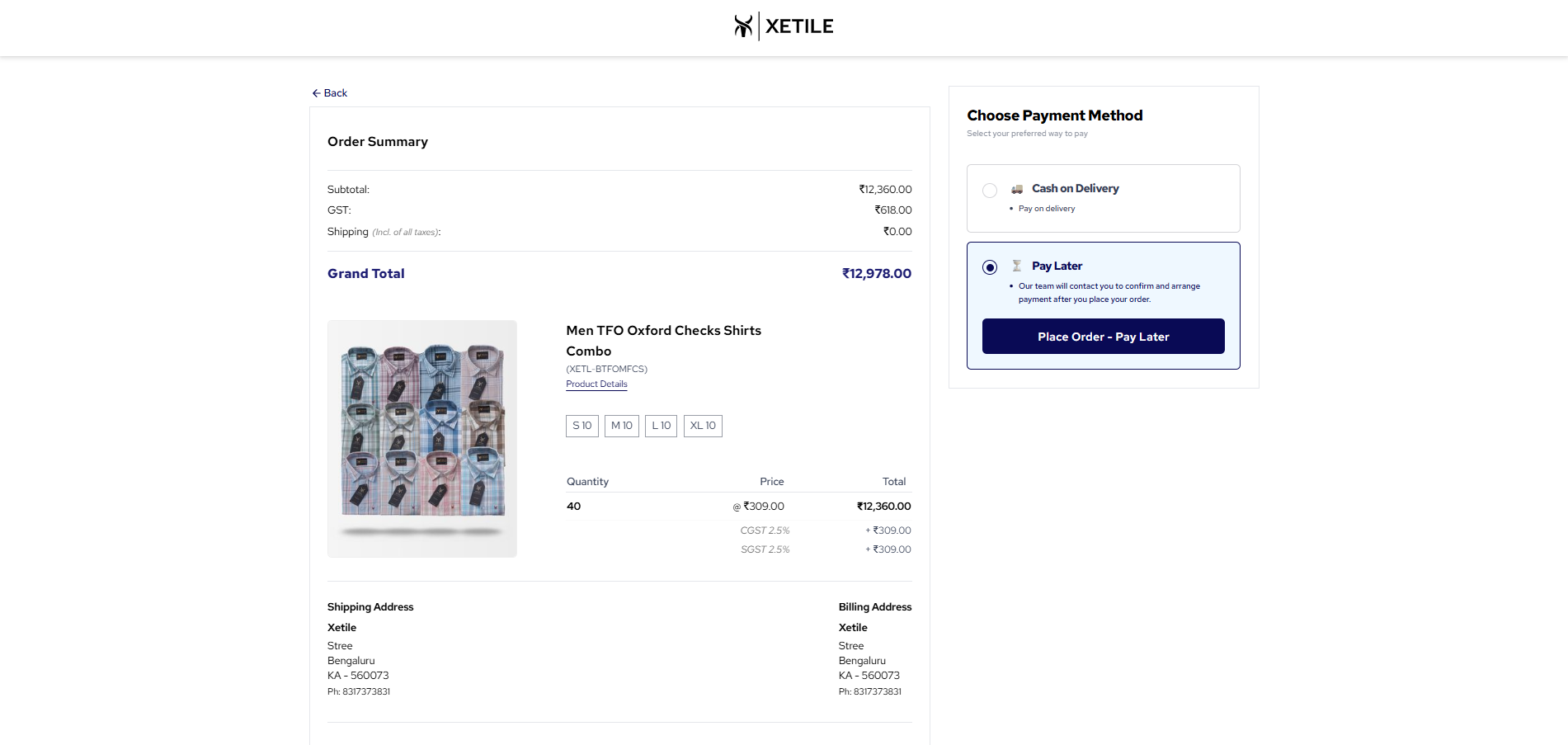
Figure 5B: COD & PayLater Payment Selection
Account Dashboard & Order Confirmation
All order receipts, saved addresses, and active shipments are managed inside your central Customer Dashboard:
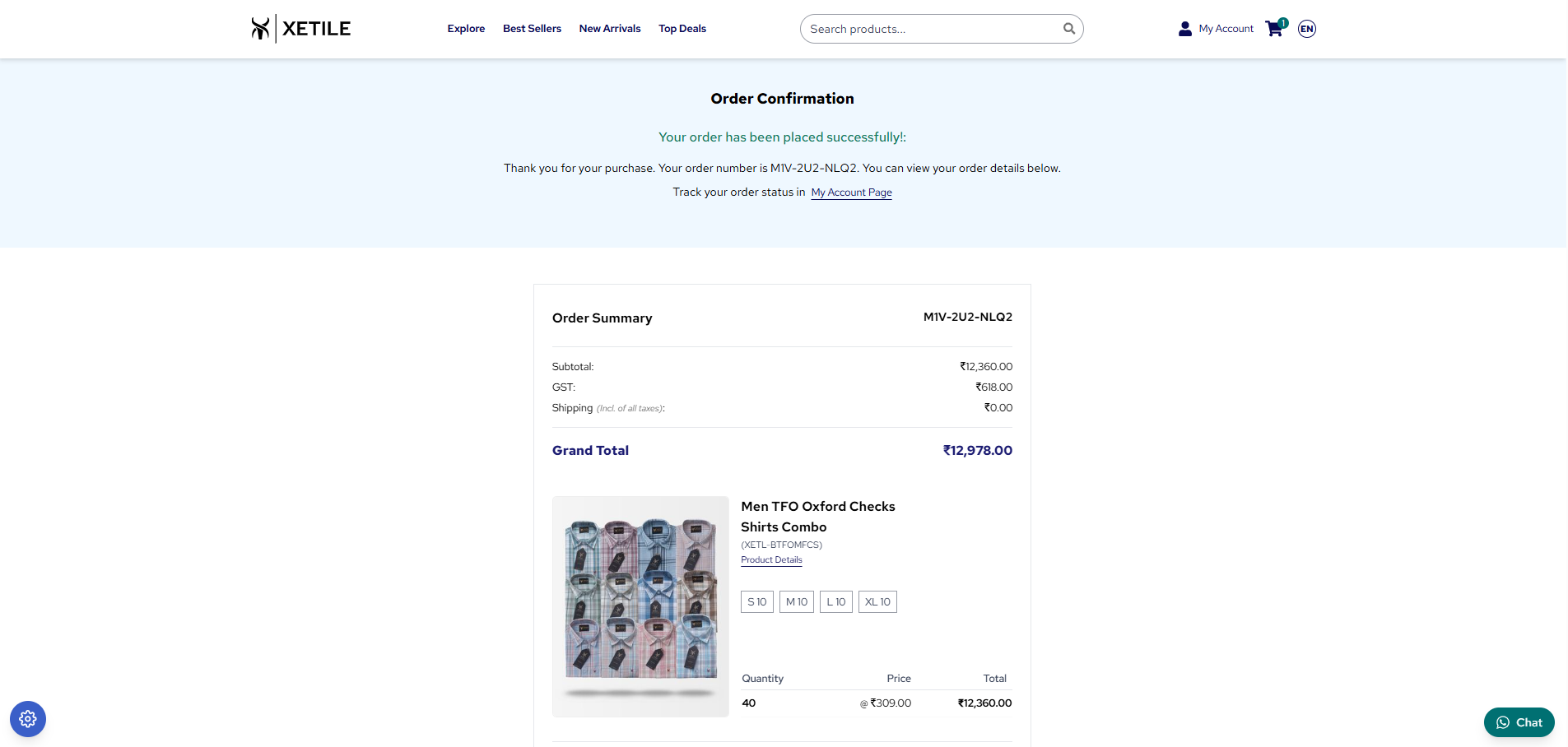
Figure 6: Order Confirmation & Receipt Summary Interface
Manage delivery locations in your Address Book and update store preferences.
Review dispatched invoices in Order History and check live courier tracking links directly under your specific Order Details.
Support
Have Questions About Ordering in Bulk?
Our dedicated merchandising desk is available to assist with custom size curves, sample shipments, and volume pricing tiers.